From asset hierarchy to EAM, CMMS and GIS
Once an asset hierarchy is agreed, it has to be loaded into the systems that run the work and kept in step with the map. Here is the general idea, with no product attached.
Published 2026-10-09 · Theory only: general industry knowledge, no client data.
Why agree the hierarchy before the systems
An enterprise asset management system (EAM), a maintenance management system (CMMS) and a GIS all need to know what the organization owns. Configure each on its own and each ends up with its own list. The differences surface months later as reports that disagree. Agree the hierarchy first and all three start from the same list.
This guide stays general on purpose. Products differ in their terms and setup, so it covers the common ideas and no one product.
How the pieces usually map
| In the agreed hierarchy | Usually becomes, in a system |
|---|---|
| Classes | Asset types, classifications or categories |
| Levels and parent-child links | Parent-child asset records, or groupings of types |
| Data points on a class | Attributes, specifications or characteristics of that type |
| Allowed values | Pick-lists or domains |
| Decisions and lifecycle stages | Usually nothing. They explain why the data exists. |
The last row is the one people lose. A system holds the data but rarely records why. Keep the reason somewhere, and you can retire a data point later without a debate.
Systems of record: where each data point lives
A system of record holds the master copy of a data point. Two systems can show the same value, but only one may change it. Strata gives every data point two fields for this. Current system is where the data point is collected and saved today. Desired system is where it should live. Left blank, the desired system means it stays where it is. When the two differ, the data point is on the migration list. Both terms are defined in the glossary.
Splits vary by organization. Here are common ones for the Water and Wastewater template, as illustrations and not rules.
| Data point | On the class | Often mastered in | Why |
|---|---|---|---|
| Length | Water main | GIS | It comes from the shape of the line on the map. |
| Material | Water distribution | GIS or the EAM | Either can hold it. What matters is that only one is the master copy. |
| Last exercised date | Valve | EAM or CMMS | It is written by a work order when the crew closes it. |
| Condition score | Water and Wastewater system | EAM or CMMS | It comes from inspections, and it changes over time. |
As a rule of thumb, a GIS holds where things are and how they connect. An EAM or CMMS holds what has been done to them and what they cost. The two overlap, so decide the overlaps in advance.
One shared ID
A map feature and a maintenance record are tied together by an identifier they both carry. Choose it before loading anything. It should be unique, issued in one place, never reused, and never changed because an asset moved or was renamed. An ID with meaning built in, such as an area code, will be wrong sooner or later. Strata describes classes and leaves instance identifiers to your systems, but the rule for them belongs in the same agreement.
What to agree before loading
- The list of classes and their names, and who may add one.
- The data points each class needs, with units and formats.
- The allowed values for any pick-list, written down once.
- The system of record for each data point, and which system wins when two disagree.
- The ID scheme, and who issues IDs.
- An owner for each data point, and how often it is reviewed.
- The order of loading: classes first, then the records that belong to them.
One class through three systems
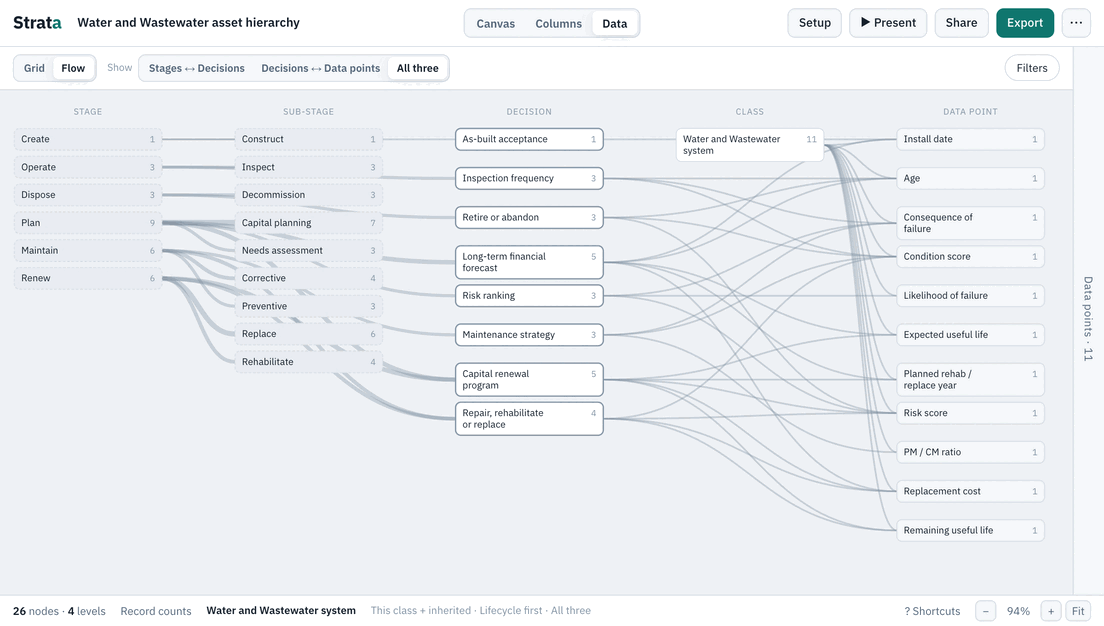
Follow the Water main class in the water template. It inherits Material and Nominal diameter from the group above it and defines Length itself. It also inherits the shared data points, such as install date and condition score. In a GIS the class becomes a line layer with those attributes. In an EAM or CMMS it becomes an asset type with the same attributes, and each pipe becomes a record that carries work history. The shared ID is what lets a pipe on the map and the same pipe in the work system be recognized as one asset. The hierarchy says which attributes each of them must have, and the systems each fill in their share.
Keeping them aligned afterward
- Change the standard first. Agree a new class or data point in the hierarchy, then add it to each system. Change a system first and the lists drift apart.
- Reconcile on the shared ID. Compare the two systems by ID now and then. Records in one and not the other, and values that disagree, are your to-do list.
- Keep a version. Name each agreed version of the hierarchy, so “which one are you loaded from?” has an answer.
- Watch for the usual slips: loading before agreeing, keeping two masters for one data point, and pasting free text into a field that should be a pick-list.
Where Strata fits
Strata is for the step before the configuration: agree the standard, then configure the systems from it. Its JSON export carries the classes, the data points and the system fields, so the agreement can be handed over as a file. It is not an EAM, a CMMS or a GIS and it does not hold your records. To try the idea, open the water and wastewater template and look at the Current system and Desired system of each data point, which start blank for you to fill in.
Related guides
- What is an asset hierarchy? The pillar: levels, classes and instances, common patterns, and the mistakes to avoid.
- Hierarchy vs. relationships Classification, connections and decisions are three different questions.
- Data readiness for analytics Start from the decision, and find the data you are missing.
- Asset data glossary Plain definitions of the terms the templates use.